Quick survey or Advanced survey
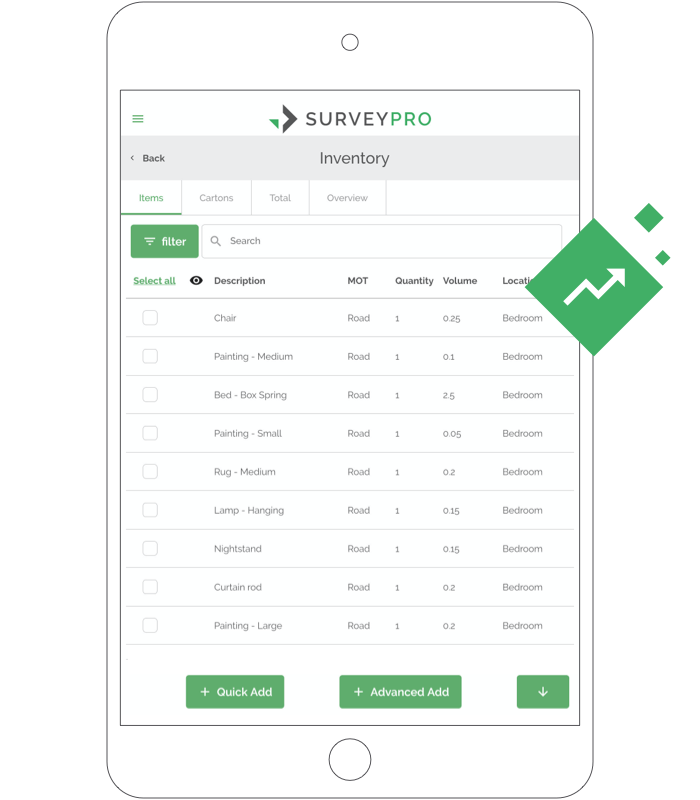
Use Quick Add with a template for smaller moves. Switch to the Advanced flow when every item needs its own transport mode, handling and notes.


Perform Moving Estimates Like a Pro
Survey once.
Quote the same day.
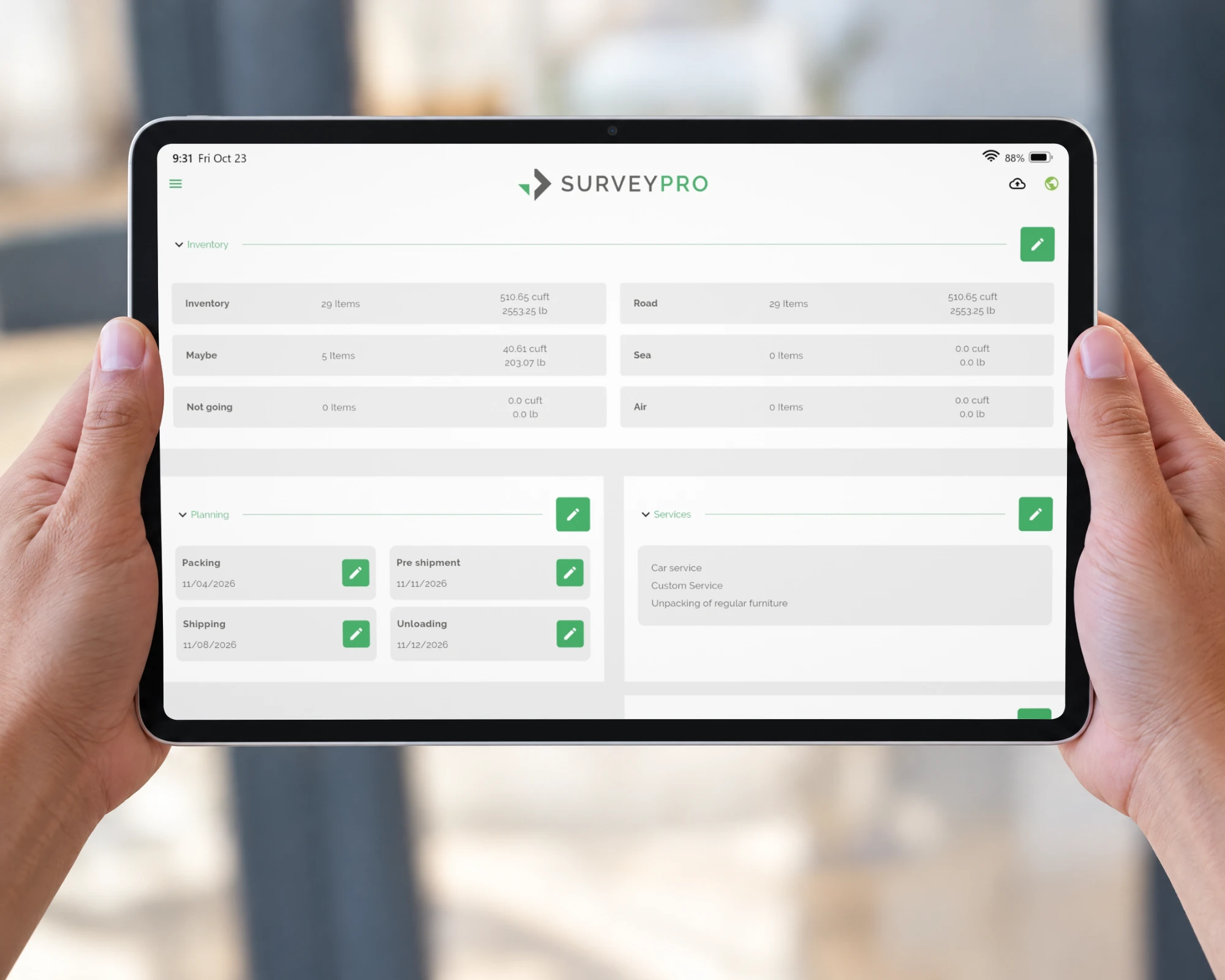
Capture every room, photo and signature of a home survey on a tablet or phone. Your office sends the quote while you drive to the next home.
Used by moving, removal and relocation companies across Europe, the Americas and Asia









SurveyPro is efficient, fast, and gives a clear overview of what the customer would like to move.
How a pre-move survey works in SurveyPro, from the doorstep to the next appointment.
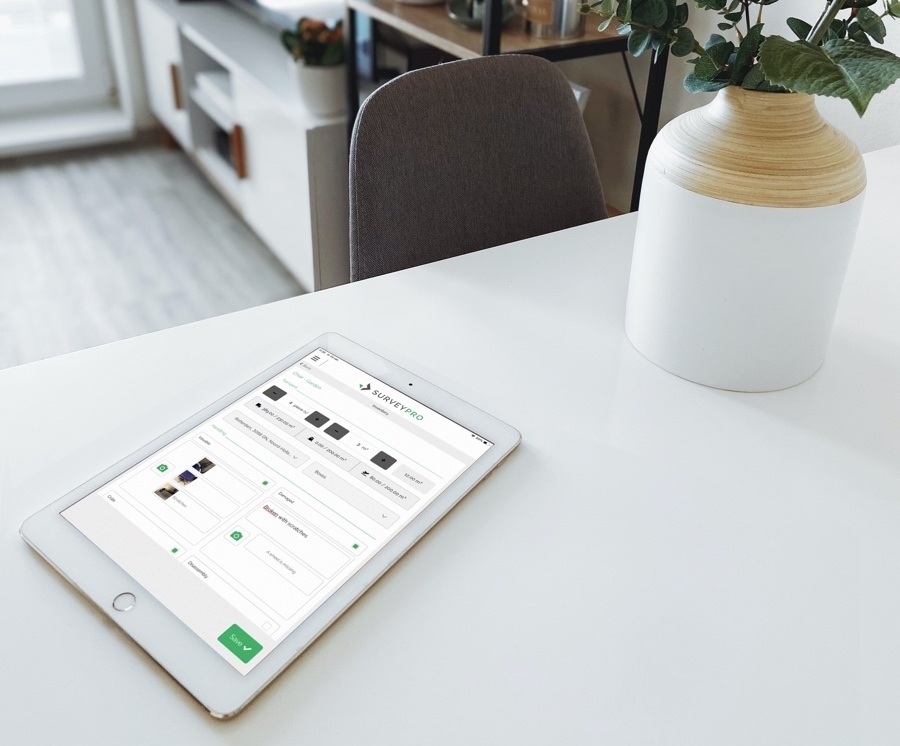
Customer name, addresses and move dates come straight from MoveDashboard or your move management system. No retyping on the doorstep.
Pick a room and tap items from the inventory list. Auto-suggest finds them as you type, and the volume adds up as you go.
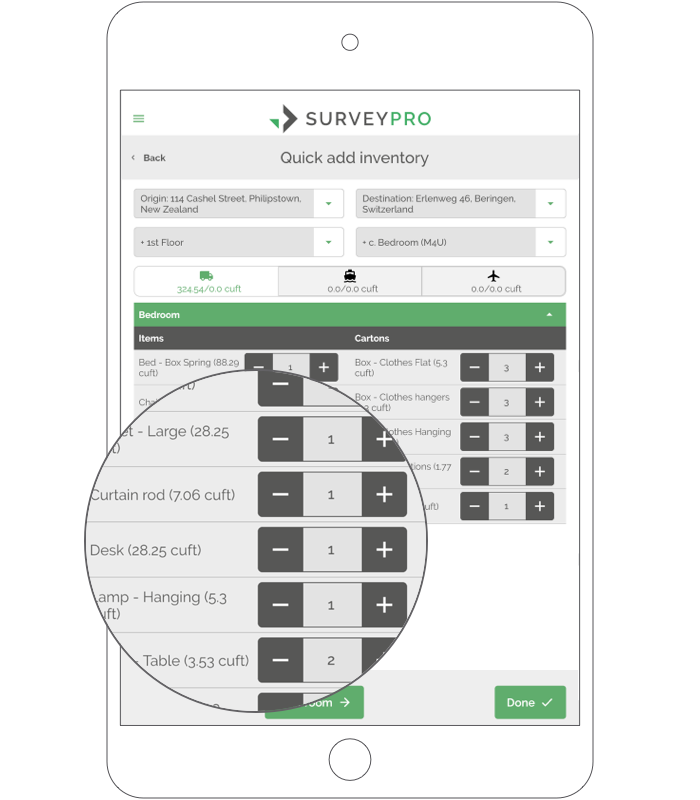
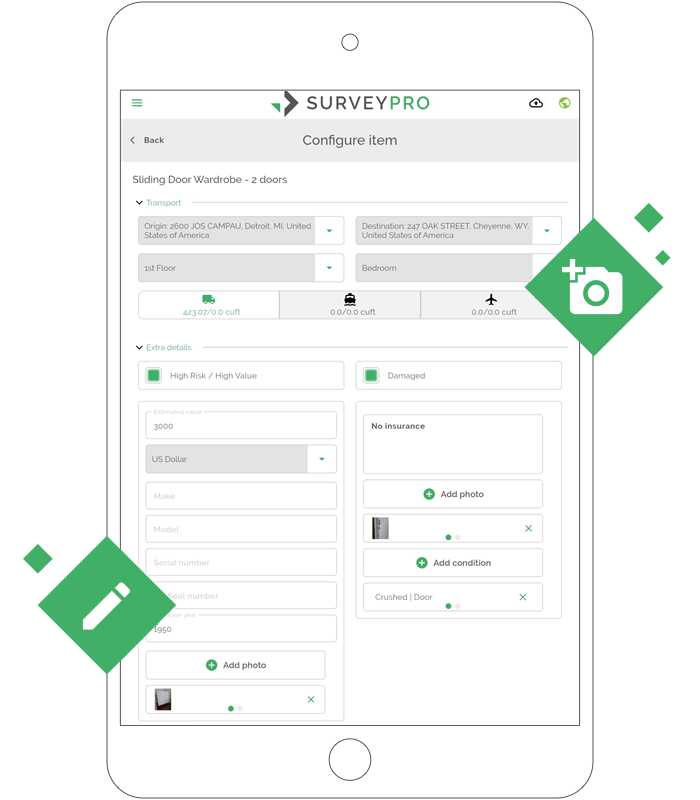
Snap large or awkward items and note damage that is already there, like a crushed door. That record protects you if a claim comes in.
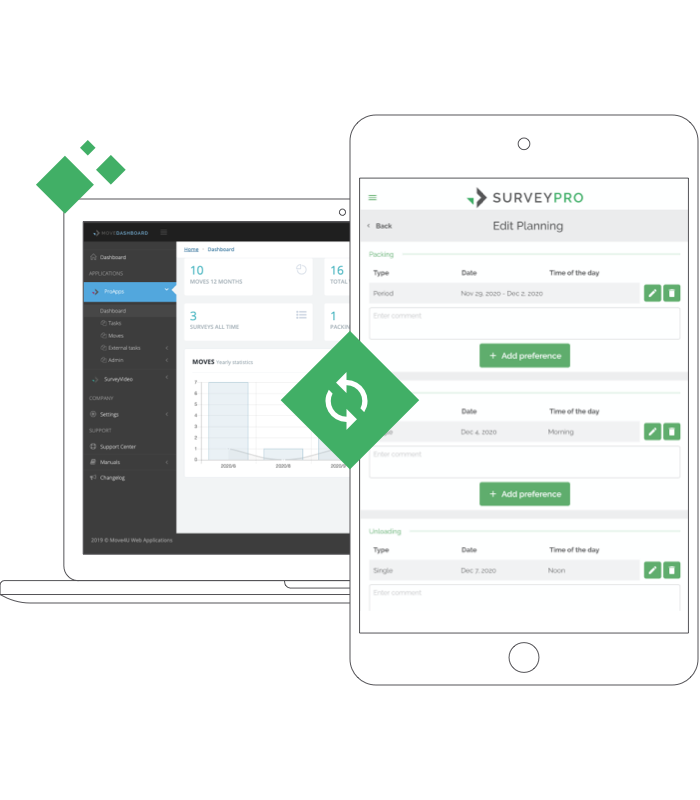
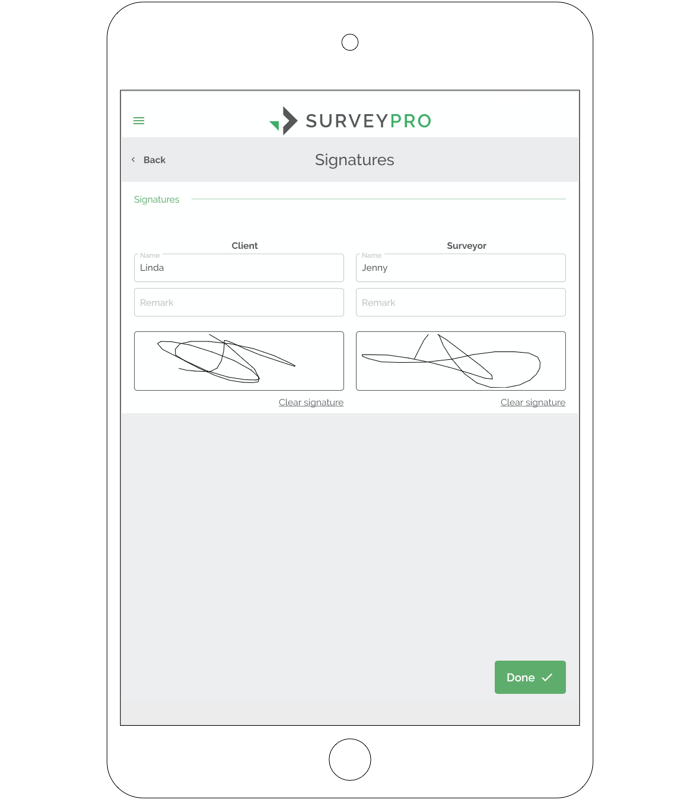
Go through services and planning with the customer, then you both sign on screen. No discussion later about what was or wasn't included.
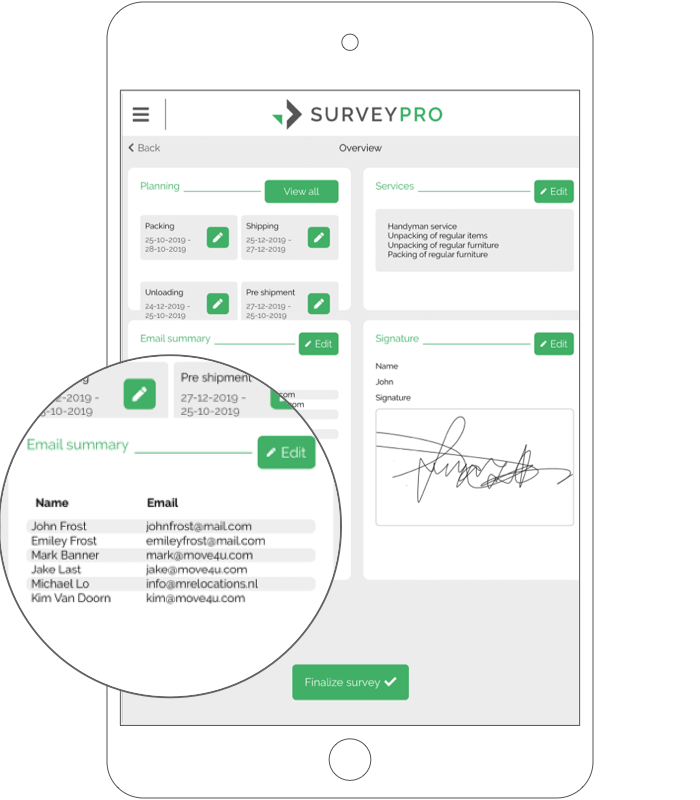
Finalize the survey and it lands in MoveDashboard, or back in your move management system via an integration. The office can send the quote before you reach your next appointment.
Use Quick Add with a template for smaller moves. Switch to the Advanced flow when every item needs its own transport mode, handling and notes.
ISO 17451-1 for household goods, the military inventory for military moves, or a list you build yourself.
Basements, storage units, new builds. Survey without a connection and upload once you're back in range.
Results are translated to the recipient's language, so your partner abroad reads it in theirs.
Photos stay with each item, for your office, crew and customer.
Your customer gets a PDF of the survey with your company logo and colors, with or without volumes, in the language they choose.
SurveyPro runs on Microsoft Azure, so it stays fast in the field and your survey data is stored securely.
Follow one move through the Move4U suite. What your surveyor captures in SurveyPro carries on to your customer and your crew, so nobody types it in twice.
When a home visit isn't practical, walk through the home with your customer by video and take snapshots as you go. The whole call is recorded, so you can watch it back when you build the quote.
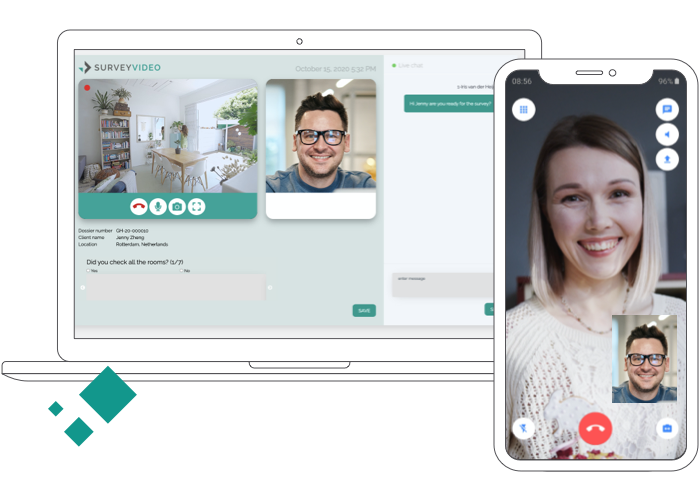
Room by room inventory with volumes, photos of existing damage, the services needed and both signatures.
 MovePortal
 CrewPro
MoveDashboard
Your own CRM, via API
CrewPro
MoveDashboard
Your own CRM, via API
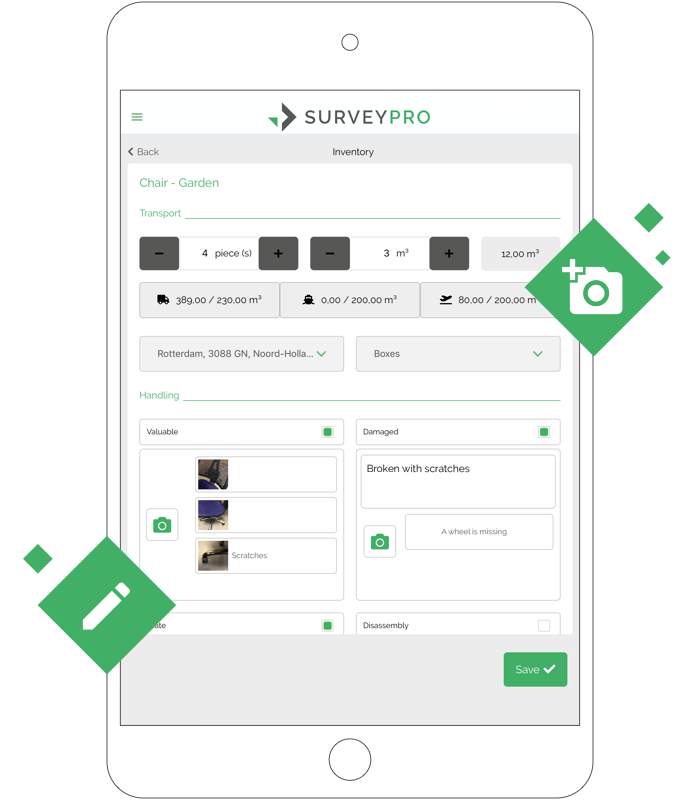
A portal under your brand where customers see their move date, check their inventory and sign documents from the couch.
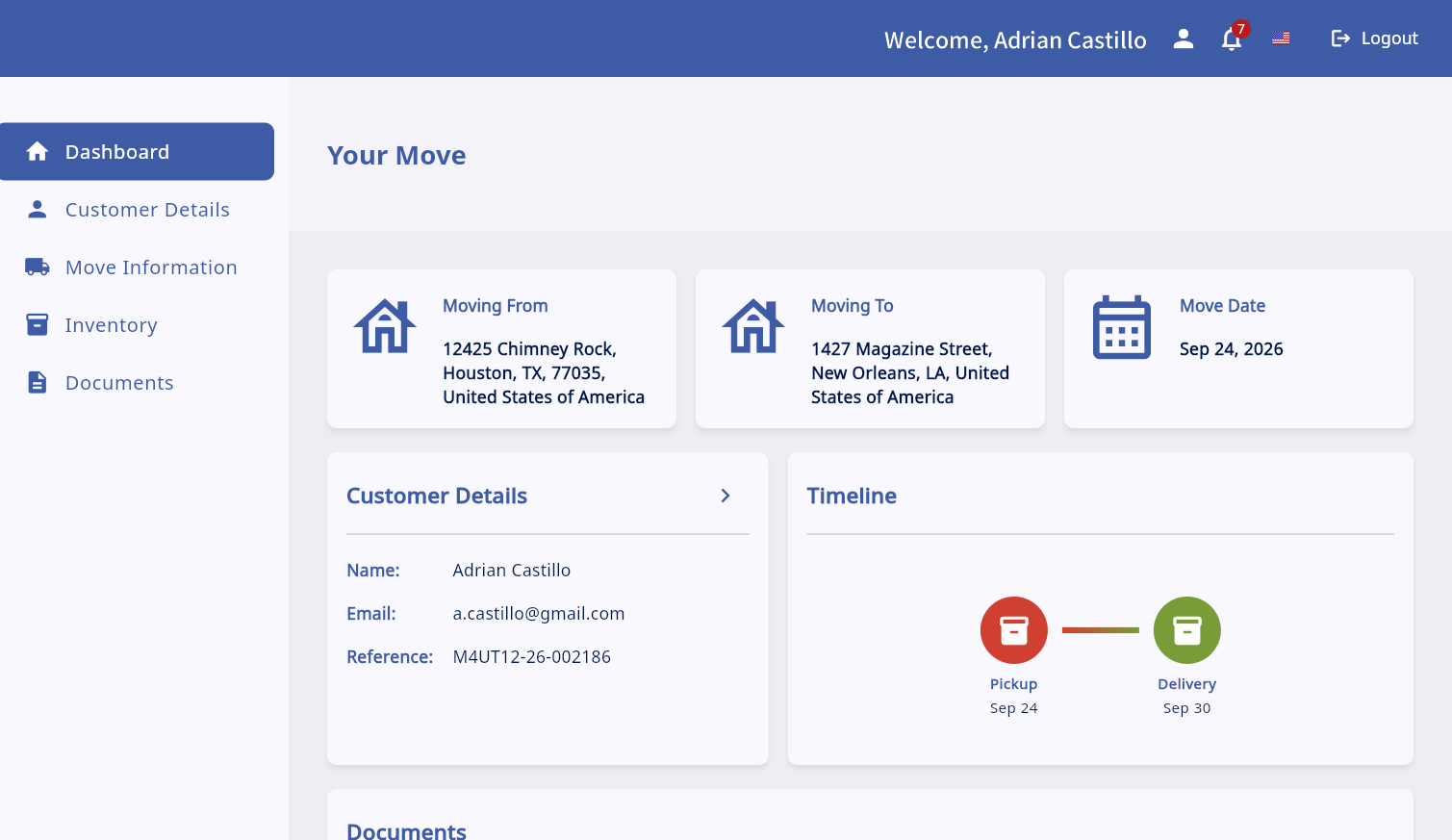
Packing lists, item checks and the customer's sign-off at delivery, all based on what was surveyed. Crews can also view and sign all the move paperwork on the spot.
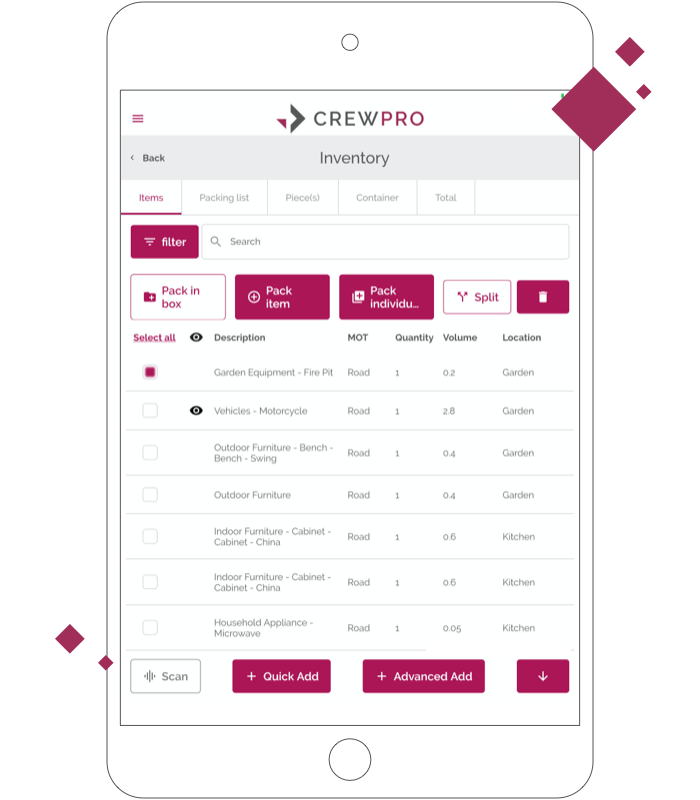
Every step syncs to MoveDashboard or to your CRM via API: inventories, media, documents and more.
About MoveDashboard →What moving companies ask before they switch from paper surveys.
SurveyPro is a pre-move survey app by Move4U for moving, removal and relocation companies. Surveyors use it on an iPad, iPhone or Android device to record a customer's inventory room by room, with volumes, photos, damage notes, services and signatures, and then send the survey to MoveDashboard or their own move management system.
A pre-move survey is the visit, in person or by video, where a moving company records everything a customer wants to move. The inventory sets the volume, weight, packing needs and services the mover uses to plan and price the move. SurveyPro replaces the paper cube sheet with a digital, signed record. Why movers switch to digital surveys
Yes. Surveyors can complete a full survey offline, for example in basements, storage units or new builds without Wi-Fi, and upload it once the device is back online.
SurveyPro runs on iPad and iPhone (iOS 15.6 or later) and on Android tablets and phones. The app is free to download from the App Store and Google Play; your company needs a SurveyPro account to use it.
You can use the ISO 17451-1 standard list for household goods moves, a military inventory for military moves, or your own custom list. Volumes can be shown in cubic metres or cubic feet.
Yes. The customer receives a signed survey summary as a PDF with your company logo and colors, with or without volumes, in the language they choose. SurveyPro supports 18+ languages.
Surveys sync to MoveDashboard, which is included free, or to your CRM or move management system via API. The same survey data feeds MovePortal for your customer and CrewPro for your packing and delivery crews.
SurveyPro runs on Microsoft Azure. Move4U is certified to ISO/IEC 27001:2022 for information security and ISO 9001:2015 for quality management, and handles data in line with GDPR.
SurveyPro is for on-site surveys, when your surveyor visits the home. SurveyVideo is for remote surveys over a video call, when a home visit isn't practical. Both are part of the Move4U suite.
We'll go through pricing with you in a free demo. The SurveyPro app is free to download from the App Store and Google Play, your company needs a SurveyPro account to use it, and MoveDashboard is included at no cost.
Book a free demo with Move4U. No credit card is needed, and MoveDashboard is included at no cost. Book a demo

We'll walk through a survey with your inventory list and show you how results reach your office.
Already a customer? Get the app.